

Short answer: a lead response time audit measures how fast, and how thoroughly, your team follows up on every new lead. Export the last 90 days of leads, calculate first-response time per rep, flag leads with no activity after 24 hours, count follow-up touches, and turn the gaps you find into routing rules and alerts.
Most B2B companies spend heavily to generate leads and then lose a meaningful share of them in the first 48 hours. Not because the leads were bad, but because nobody called back in time, the lead sat in an unassigned queue, or a rep made one attempt and moved on. The CRM still shows the lead as “open”, so on the dashboard everything looks fine.
Speed matters because buyer intent decays quickly. A prospect who just filled in a demo form is comparing options right now. If a competitor answers in ten minutes and you answer tomorrow, the conversation is often already over. The good news is that response problems are measurable, and once you measure them they are usually easy to fix.
Why leads get lost after they enter the CRM
In almost every audit we run, the same handful of patterns show up:
- Routing gaps. Leads from a new form, a new campaign or a new country do not match any assignment rule and land with nobody.
- Off-hours leads. Leads that arrive in the evening or on a weekend wait until someone opens the CRM, sometimes days later.
- One-touch follow-up. A rep sends one email, gets no reply and never tries again. Most B2B conversions need several touches.
- Status limbo. Leads stay in “Contacted” or “Working” for weeks with no new activity, so they never get recycled or closed out.
- Uneven reps. Team averages hide the fact that one or two reps respond in minutes while others take days.
None of these show up in a standard pipeline report, because those reports count what moved forward, not what silently stopped.
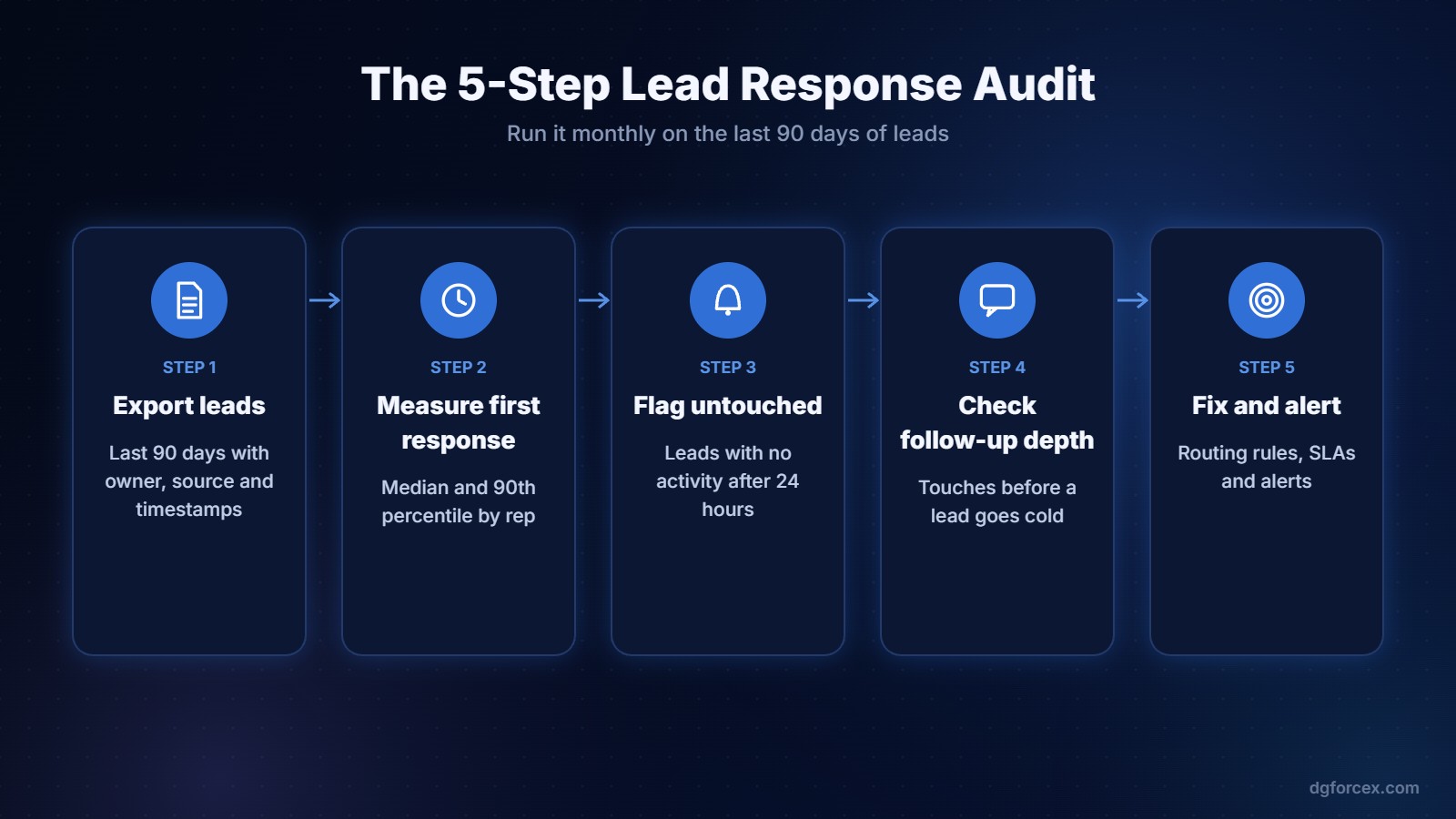
How to run a lead response time audit in five steps
1. Export the right data
Pull every lead created in the last 90 days with: created date and time, lead source and campaign, owner, current status, date of first activity (call, email or meeting logged), number of activities, and the date of the last activity. In HubSpot, Salesforce or Pipedrive this is a standard report or export. Ninety days gives you enough volume to see patterns without mixing in old processes.
2. Measure first-response time per rep
For each lead, subtract the creation time from the first activity time. Then look at the median and the 90th percentile by rep, not just the average. The average hides the long tail: a team with a two-hour average can still have one in ten leads waiting three days. Also split by business hours versus off-hours.
3. Flag leads with no activity
Count leads with zero logged activity after 24 hours, 72 hours and seven days. Group them by source, owner and status. This is usually the most uncomfortable number in the audit, and the most valuable. It shows exactly how many paid leads were never touched.
4. Check follow-up depth
For leads that did not convert, how many attempts were made before the lead went quiet? If most stalled leads received one or two touches, the problem is persistence, not lead quality. Compare follow-up depth between your best and weakest reps.
5. Turn findings into rules and alerts
Every gap should become a fix: a routing rule for the unassigned sources, an SLA such as “first response within one business hour”, an off-hours auto-reply with a booking link, a follow-up sequence of at least five touches, and an alert when a lead passes 24 hours untouched. Then rerun the audit next month to confirm the numbers moved.
Which benchmarks should you aim for?
Benchmarks vary by deal size and channel, but these targets are a reasonable starting point for most B2B teams:
- Inbound demo or contact requests: first response within one business hour, ideally minutes.
- Content leads (webinars, downloads): first touch within one business day.
- Untouched leads after 24 hours: close to zero.
- Follow-up depth: at least five attempts across two channels before a lead is closed as unresponsive.
Whatever targets you choose, agree on them with sales leadership up front. An audit is much more useful when the team already knows what “good” looks like.
Common mistakes when measuring lead response
- Counting automated emails as a response. An automatic confirmation is not a sales touch. Measure the first human activity.
- Ignoring activities logged outside the CRM. If reps call from their phones and never log it, your data will look worse than reality. Fix logging before you judge people.
- Looking only at averages. Use medians and percentiles, and always break results down by rep and source.
- Running it once. Response time drifts back as soon as nobody is watching. Make it a monthly ritual or, better, a live view.
From a one-off spreadsheet to continuous monitoring
You can run the first audit in a spreadsheet, and you should, to understand the logic. The problem is that spreadsheets go stale the day after you build them, and the moment a lead is lost is the moment you need to know about it, not at the end of the quarter.
This is the gap Metriflow was built for. It connects read-only to HubSpot, Salesforce or Pipedrive and runs this audit continuously: response time per rep, late or unanswered leads, leads stuck in a status, and follow-up depth. Rule-based alerts go to email, in-app or Slack when a lead passes your SLA, and managers get a scheduled summary instead of building reports by hand. Each person sees the right scope: admins see the company, managers their teams, reps their own leads.

Once response gaps are under control, the next question is usually which campaigns actually produce revenue, and how each one fits into the full customer journey funnel. We cover that in How to Measure B2B Revenue by Campaign, Not Just Leads.
See where your leads get lost
Connect your CRM in a few minutes and get response time, untouched leads and follow-up depth per rep in one view.
Ready to start? Create your Metriflow account.
FAQ
What is a good lead response time for B2B?
For inbound demo and contact requests, aim for a first human response within one business hour. For lower-intent content leads, one business day is usually acceptable.
How often should we audit lead response?
Run a full audit monthly on the last 90 days, and keep a live alert for any lead that passes 24 hours without activity.
Should we measure response time with averages?
No. Use the median and the 90th percentile per rep. Averages hide the slow tail of leads that wait for days.
Do automated emails count as a response?
No. Measure the first human sales activity, such as a call, a personal email or a meeting.
Which CRMs can we audit?
Any CRM that records lead creation time, owner and activities. HubSpot, Salesforce and Pipedrive all support the exports and reports you need.

DGforceX is a digital growth Hub. We combine marketing strategy, AI, web development and cyber risk expertise to help businesses build, grow and protect their digital presence.