Top AI Tools for Image Generation and Editing
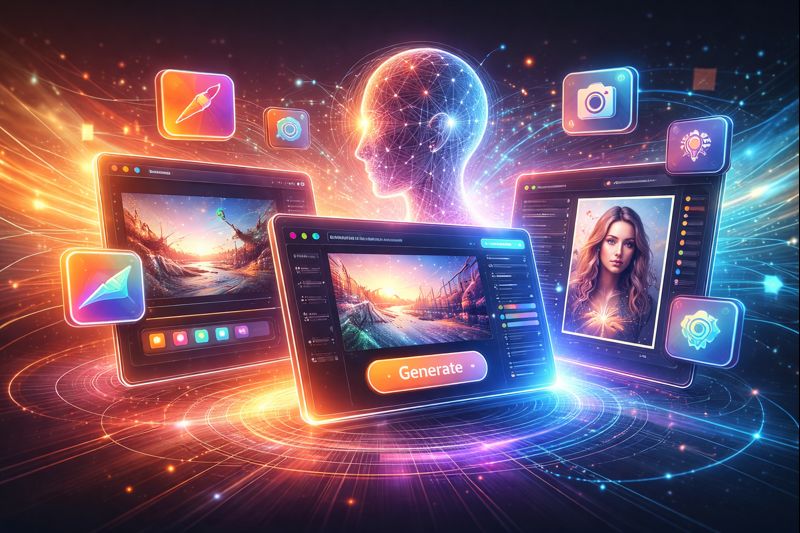
Artificial Intelligence has completely transformed how we create, edit, and enhance images. Whether you’re a graphic designer, marketer, or business owner, AI-powered tools can now generate stunning visuals, remove backgrounds, upscale photos, and even create artwork from simple text prompts.
This guide explores some of the best AI tools for image generation, editing, and enhancement—helping you find the right one for your creative or business needs.
1. DALL·E – Best for AI-Generated Art and Illustrations
Best for: Artists, designers, and marketers looking for unique, AI-generated visuals.
Features:
Creates realistic and artistic images from text prompts.
Offers image variations and the ability to edit within images (inpainting).
Great for concept art, social media graphics, and branding materials.
Pricing: Free credits available; paid plans offer higher limits.
Why choose DALL·E:
DALL·E, developed by OpenAI, is one of the most advanced AI art generators. It produces highly detailed and imaginative images from text input, making it perfect for creative projects and visual experimentation.
2. Midjourney – Best for Artistic and Conceptual Images
Best for: Digital artists, creative professionals, and NFT creators.
Features:
Produces high-quality, dream-like artistic images.
Community-driven creation process using Discord.
Known for fantasy, surreal, and conceptual styles.
Pricing: Subscription-based, starting from $10 per month.
Why choose Midjourney:
Midjourney excels in generating visually striking and stylized images, making it a favorite among artists who want a distinctive and expressive look in their AI art.
3. Adobe Firefly – Best for Professional Graphic Design
Best for: Designers, marketers, and content creators working within Adobe’s ecosystem.
Features:
Text-to-image generation integrated into Adobe Creative Suite.
Style transfer capabilities for applying artistic effects.
Inpainting and text effects for seamless image editing.
Pricing: Included in Adobe’s paid Creative Cloud plans.
Why choose Adobe Firefly:
Firefly brings AI capabilities directly into Photoshop and Illustrator, making it a powerful choice for professionals who need creative control and seamless integration with existing design workflows.
4. Runway ML – Best for Image and Video AI Editing
Best for: Video creators, motion designers, and digital artists.
Features:
AI-driven background removal and object recognition.
Tools for generating and editing both videos and images.
Real-time visual effects and animation features.
Pricing: Free trial available; paid plans start at $12 per month.
Why choose Runway ML:
Runway ML is great for creators who work across both images and video, offering powerful editing capabilities in an intuitive, AI-assisted platform.
5. Deep Dream Generator – Best for Abstract and Psychedelic Art
Best for: Artists and creatives exploring surreal or abstract visuals.
Features:
Uses neural networks to transform images into artwork.
Offers multiple artistic filters and deep dream effects.
Perfect for generating surreal and experimental art.
Pricing: Free basic plan; paid upgrades available.
Why choose Deep Dream Generator:
It’s an ideal tool for artists who want to explore imaginative, dream-like effects that blend AI with creativity.
6. Let’s Enhance – Best for Image Upscaling and Quality Improvement
Best for: Photographers, eCommerce sellers, and social media marketers.
Features:
Upscales low-resolution images while preserving detail.
Automatically removes noise and sharpens edges.
Useful for improving product photos and old images.
Pricing: Free basic plan; paid options for higher-quality output.
Why choose Let’s Enhance:
This tool is perfect for anyone needing to enhance image resolution or restore quality to older or compressed photos.
7. Remove.bg – Best for Instant Background Removal
Best for: Designers, eCommerce businesses, and marketers.
Features:
Removes image backgrounds in seconds.
Supports batch processing for multiple files.
Integrates easily with Photoshop, Canva, and other design platforms.
Pricing: Free for low-resolution exports; paid plans for HD results.
Why choose Remove.bg:
Remove.bg is one of the fastest and most accurate tools for background removal, making it ideal for product photography and marketing visuals.
Comparison Overview
| AI Tool | Best For | Pricing |
|---|---|---|
| DALL·E | AI-generated images and concept art | Free & Paid |
| Midjourney | Creative and stylized AI art | Subscription |
| Adobe Firefly | Professional design and editing | Adobe Plan |
| Runway ML | AI-powered video and image editing | Free & Paid |
| Deep Dream Generator | Abstract and psychedelic art | Free & Paid |
| Let’s Enhance | Image upscaling and enhancement | Free & Paid |
| Remove.bg | Background removal | Free & Paid |
AI tools are making visual creation faster, easier, and more accessible. Whether you want to design from scratch, enhance existing photos, or generate surreal artwork, these tools open new creative possibilities while saving time and effort.
Key takeaways:
For AI-generated artwork: Try DALL·E or Midjourney.
For professional design: Adobe Firefly offers the best integration.
For mixed media or motion graphics: Runway ML is highly versatile.
For image enhancement: Let’s Enhance delivers excellent results.
For background removal: Remove.bg remains the simplest and fastest option.

Ariel Gal is a digital strategist specializing in scalable web platforms, SEO architecture, automation, and AI-enabled growth. His work focuses on turning complex digital systems into reliable business infrastructure.